


Today, we’re introducing Hunt Town Co-op, the first-ever on-chain co-op model.
“Do what you do best: Builders launch, backers mint.” – Hunt Town will provide the Co-op environment to make it possible.
So, here’s a brief step guide for backers and builders.
Backers
How to get backing points
How to back the builders
How to learn more about the project you want to support
Builders
How to launch your Co-op project token
Backer Guide
Step 0: Get daily “Backing Point (BP)”

Backing Points are distributed based on:
1) Your connected wallet’s on-chain activities
2) Farcaster social scoring
3) Building NFT holding status — more Building NFTs give more Backing Points
Step 1: Explore Co-op projects

Browse the Co-op projects and choose the token you want to back.
Step 2: View project details

Click View to see detailed information about the project.
Leaderboard: Shows backers and donors so you can see who is actively supporting this project.
Donors: People who donate their portion of minting allocation; donations go directly to the project creators.
About Page: Displays overall project stats, including price, TVL, market cap, builder info, and project details. You can explore more through their website and social media.
Step 3: Back the token

Click “Back this token” and spend your Backing Points. You can use all your points on a single project or allocate portions across multiple projects to support.
Step 4: Confirm backing on-chain

Confirm your backing via base network.
Once successful, the claimable time will be displayed along with a shareable social link.
Sharing your backing updates on social media helps support the project creators — spreading the word and community shilling is one of the best ways to help.
Step 5: Claim project tokens

After backing, you can claim the project tokens you supported.
Claimable tokens appear in /my-page
Unclaimed rewards expire 30 days after backing.
Step 6: Donation (optional)

Click Mint Now to see the estimated claimable amount for the project token.
The “Support the Builder” section allows you to donate a portion of your rewards to strengthen the project creators.
You can select a preset percentage or enter a custom amount.
Donating reinforces the project by directly supporting the builders while using your rewards.
Builder Guide – How to Launch a Project
Step 1: Click the “Launch” button
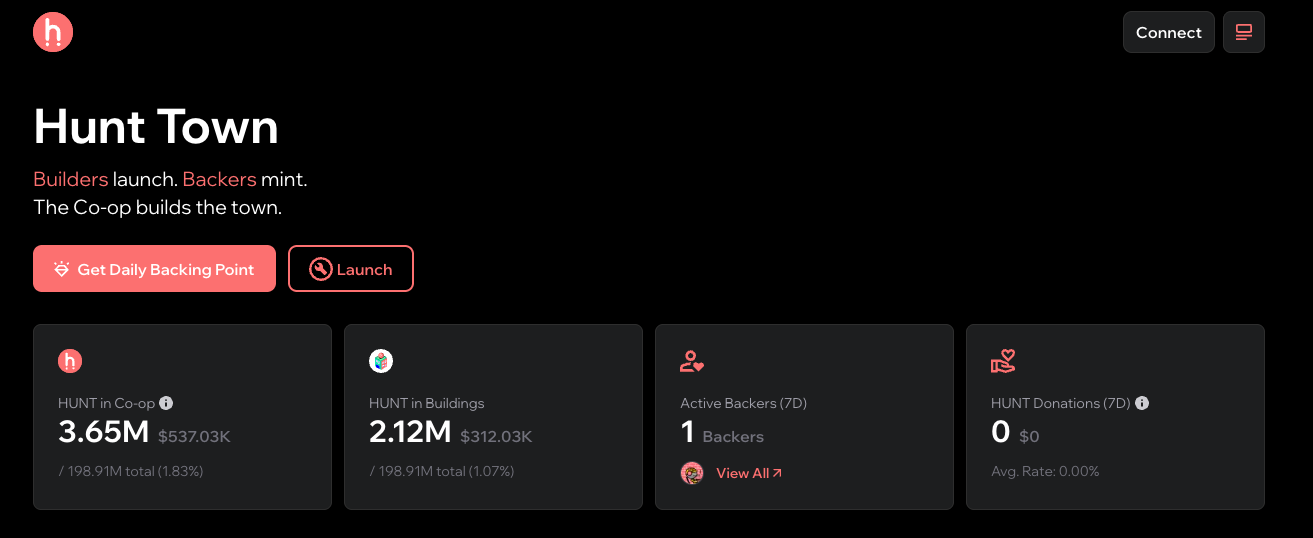
Step 2: Input your project information
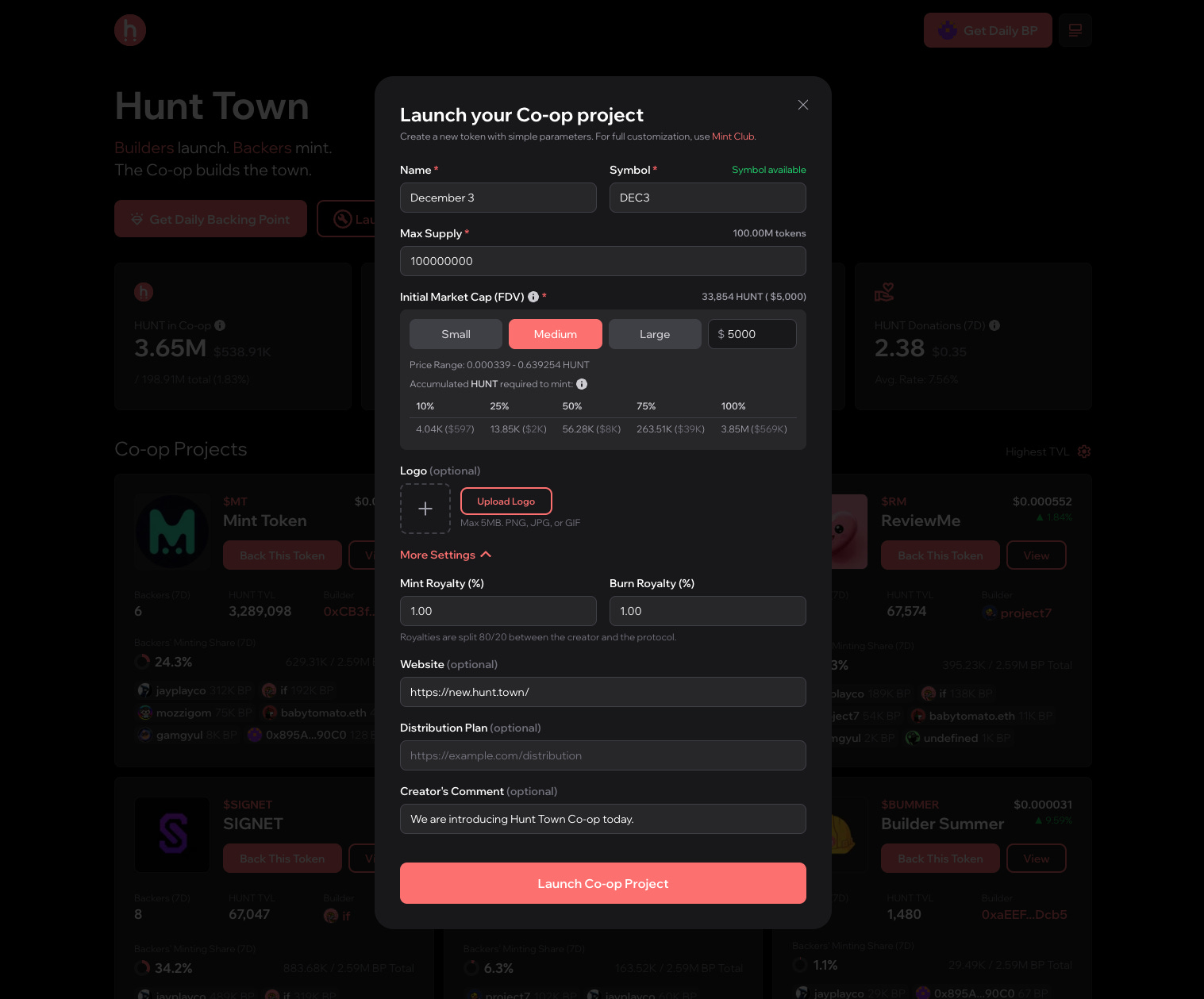
Fill in the details for your project, including:
Name
Symbol
Max Supply
Initial Market Cap
Logo
And other settings
We provide pre-fixed curve data, so you just need to follow the pre-set specifications. The required fields are customizable, allowing you to adjust the basic settings.
You can also add additional information to introduce more about your project, such as:
Trading royalty
Website link
Token distribution plan
Creator’s comment
Step 3: Launch your project
Once all your project information is complete, click “Launch Co-op Project” to go live.
It’s time to join Hunt Town Co-op and do your best as backers and builders. Hunt Town will continue to support and fuel the ecosystem flywheel.
If you want to learn more about the projects, check out this blog post:
Big Reveal: Meet the Hunt Town Co-op Lineup
If you have any questions, check out the FAQs:
Goodbye Clap, Hello Co-op 👋
Builders and backers are active in the Hunt Town Discord, so make sure to join and connect with us. If you have any questions, feel free to ask there.
Thank you and See you in the Community!
Hunt Team.